


服务
服务是提供功能的长期存在的代码片段。它们可以由组件导入(使用 useService) or by other services. Also, they can declare a set of dependencies. In that sense, services are basically a DI dependency injection system. For example, the notification service provides a way to display a notification, or the rpc 服务是向 Odoo 服务器执行请求的正确方法。
以下示例注册一个简单的服务,该服务每 5 秒显示一次通知:
import { registry } from "@web/core/registry";

const myService = {
    dependencies: ["notification"],
    start(env, { notification }) {
        let counter = 1;
        setInterval(() => {
            notification.add(`Tick Tock ${counter++}`);
        }, 5000);
    }
};

registry.category("services").add("myService", myService);
启动时,Web 客户端启动 services 注册表中存在的所有服务。请注意,注册表中使用的名称是服务的名称。
注解
大多数不是组件的代码应该“打包”在服务中,特别是当它执行一些副作用时。 这对于测试目的非常有用:测试可以选择哪些服务处于活动状态,因此出现不需要的副作用干扰正在测试的代码的可能性较小。
定义服务
一个服务需要实现以下接口:
- dependencies
可选的字符串列表。它是该服务需要的所有依赖项(其他服务)的列表
使用服务
依赖于其他服务并已正确声明其“dependencies` simply receives a reference to the corresponding services in the second argument of the ``start`”方法的服务。
useService 钩子是在组件中使用服务的正确方法。它只是返回对服务值的引用,稍后组件可以使用该引用。例如:
import { rpc } from "@web/core/network/rpc";

class MyComponent extends Component {
  setup() {
    onWillStart(async () => {
      const result = await rpc(...);
    })
  }
}
参考文献列表
技术名称 |
简短描述 |
|---|---|
读取或修改cookie |
|
显示图形效果 |
|
执行低级http调用 |
|
显示通知 |
|
管理浏览器 URL |
|
向服务器发送请求 |
|
处理锚点元素上的点击 |
|
读取或修改窗口标题 |
|
提供一些与当前用户相关的信息 |
概述
技术名称:
cookie依赖关系:无
提供了一种操作 cookie 的方法。例如:
cookieService.setCookie("hello", "odoo");
应用程序编程接口
- current
代表每个 cookie 的对象及其值(如果有)(或空字符串)
- setCookie(name[, value, ttl])
- 参数
name (
string()) – 应设置的 cookie 的名称value (
any()) – 选修的。如果给定,cookie 将被设置为该值ttl (
number()) – 选修的。删除 cookie 之前的时间(以秒为单位)(默认=1 年)
将 cookie
name设置为值value,最大期限为ttl
- deleteCookie(name)
- 参数
name (
string()) – cookie 的名称
删除 cookie
name。
效果服务
概述
技术名称:
effect依赖关系:无
效果是可以临时显示在页面顶部的图形元素,通常是为了向用户提供发生了有趣的事情的反馈。
彩虹人就是一个很好的例子:
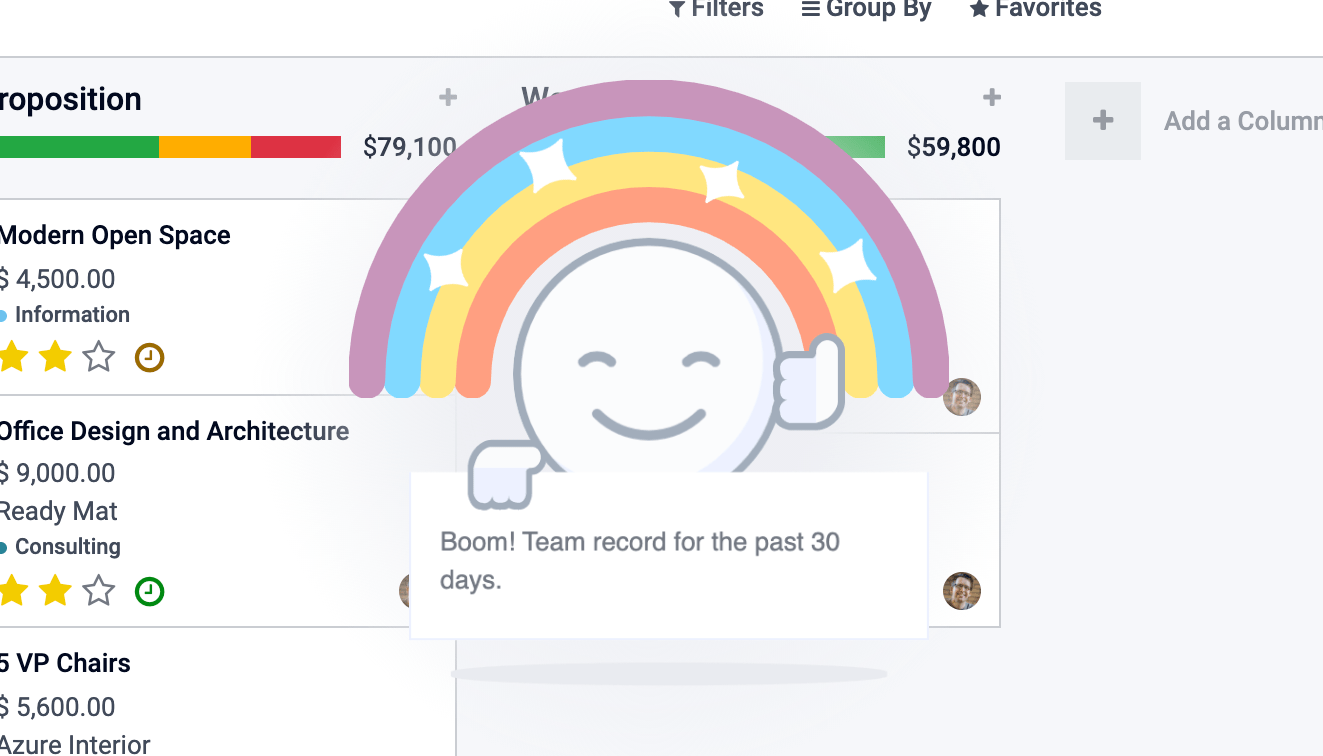
显示方式如下:
const effectService = useService("effect");
effectService.add({
  type: "rainbow_man", // can be omitted, default type is already "rainbow_man"
  message: "Boom! Team record for the past 30 days.",
});
警告
钩子 useEffect 与效果服务无关。
应用程序编程接口
- effectService.add(options)
- 参数
options (
object()) – 效果的选项。它们将被传递到底层效果组件。
显示效果。
选项定义如下:
interface EffectOptions {
  // The name of the desired effect
  type?: string;
  [paramName: string]: any;
}
可用效果
目前,唯一的效果就是彩虹人。
彩虹人
effectService.add({ type: "rainbow_man" });
姓名 |
类型 |
描述 |
|---|---|---|
|
|
在 RainbowMan 内部实例化的组件类(将替换消息)。 |
|
|
如果给出了 params.Component ,它的 props 可以通过这个参数传递。 |
|
|
消息是彩虹人持有的通知。 如果用户禁用了效果,彩虹人将不会出现,并且将显示一个简单的通知作为后备。 如果启用了效果并且给出了 params.Component,则不使用 params.message。 该消息是一个简单的字符串或表示 html 的字符串(如果您希望在 DOM 中进行交互,最好使用 params.Component)。 |
|
|
如果消息表示 html、s.t.,则设置为 true它将被正确插入到 DOM 中。 |
|
|
要在彩虹中显示的图像的 url。 |
|
|
彩虹人延迟消失。
|
如何添加效果
这些效果存储在名为 effects 的注册表中。您可以通过提供名称和函数来添加新效果。
const effectRegistry = registry.category("effects");
effectRegistry.add("rainbow_man", rainbowManEffectFunction);
该函数必须遵循此 API:
- <newEffectFunction>(env, params)
- 参数
env (
Env()) – 服务接收到的环境params (
object()) – 从服务上的添加函数接收的参数。
- 返回
({Component, props} | void)一个组件及其 props 或什么都没有。
该函数必须创建一个组件并返回它。该组件安装在效果组件容器内。
例子
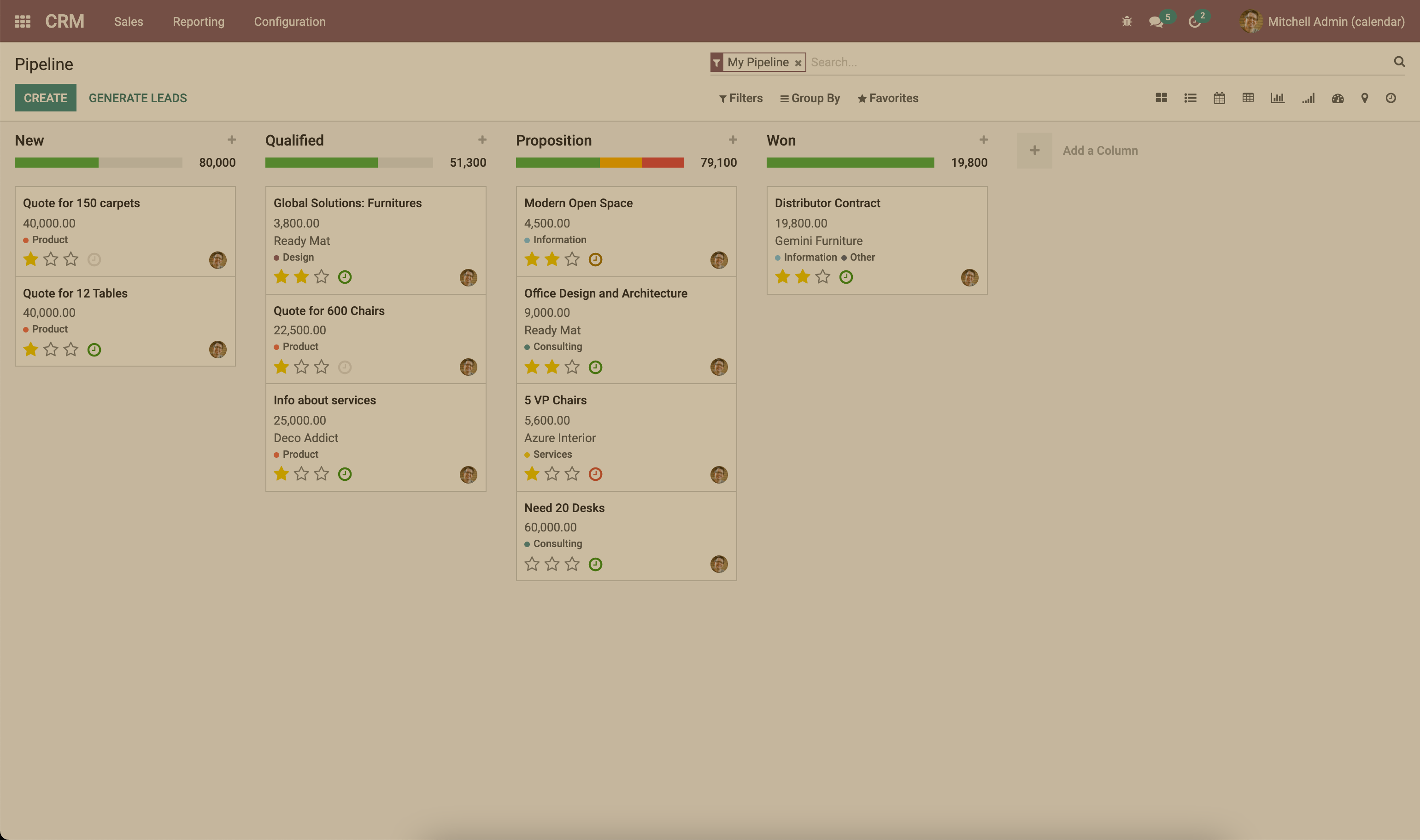
假设我们要添加一种效果,使页面呈现棕褐色外观。
import { registry } from "@web/core/registry";
import { Component, xml } from "@odoo/owl";

class SepiaEffect extends Component {
  static template = xml`
    <div style="
        position: absolute;
        left: 0;
        top: 0;
        width: 100%;
        height: 100%;
        pointer-events: none;
        background: rgba(124,87,0, 0.4);
    "></div>
  `;
}

export function sepiaEffectProvider(env, params = {}) {
    return {
        Component: SepiaEffect,
    };
}

const effectRegistry = registry.category("effects");
effectRegistry.add("sepia", sepiaEffectProvider);
然后,在你想要的地方调用它,你就会看到结果。在这里,它在 webclient.js 中被调用,以使其在示例中随处可见。
const effectService = useService("effect");
effectService.add({ type: "sepia" });
HTTP服务
概述
技术名称:
http依赖关系:无
虽然 odoo 中客户端和服务器之间的大多数交互都是 RPCs (XMLHTTPRequest),但有时可能需要对请求进行较低级别的控制。
此服务提供了发送 get 和 post http requests 的方法。
应用程序编程接口
- async get(route[, readMethod = "json"])
- 参数
route (
string()) – 将请求发送到的 urlreadMethod (
string()) – 响应内容类型。可以是“text”、“json”、“formData”、“blob”、“arrayBuffer”。
- 返回
请求的结果,其格式由 readMethod 参数定义。
发送获取请求。
- async post(route[, params = {}, readMethod = "json"])
- 参数
route (
string()) – 将请求发送到的 urlparams (
object()) – 要在请求的表单数据部分中设置的键值数据readMethod (
string()) – 响应内容类型。可以是“text”、“json”、“formData”、“blob”、“arrayBuffer”。
- 返回
请求的结果,其格式由 readMethod 参数定义。
发送帖子请求。
例子
const httpService = useService("http");
const data = await httpService.get("https://something.com/posts/1");
// ...
await httpService.post("https://something.com/posts/1", { title: "new title", content: "new content" });
通知服务
概述
技术名称:
notification依赖关系:无
notification 服务允许在屏幕上显示通知。
const notificationService = useService("notification");
notificationService.add("I'm a very simple notification");
应用程序编程接口
- add(message[, options])
- 参数
message (
string()) – 要显示的通知消息options (
object()) – 通知的选项
- 返回
关闭通知的功能
显示通知。
选项定义如下:
姓名
类型
描述
title细绳
为通知添加标题
typewarning|danger|success|info根据类型更改背景颜色
sticky布尔值
通知是否应保留到被驳回为止
className细绳
将添加到通知中的附加 css 类
onClose功能
通知关闭时执行的回调
buttons按钮[](见下文)
要在通知中显示的按钮列表
autocloseDelay数字
通知自动关闭之前的持续时间(以毫秒为单位)
这些按钮的定义如下:
姓名
类型
描述
name细绳
按钮文字
onClick功能
单击按钮时执行的回调
primary布尔值
按钮是否应设置为主按钮
示例
通过按钮进入某种佣金页面时发出的销售交易通知。
// in setup
this.notificationService = useService("notification");
this.actionService = useService("action");

// later
this.notificationService.add("You closed a deal!", {
  title: "Congrats",
  type: "success",
  buttons: [
      {
          name: "See your Commission",
          onClick: () => {
              this.actionService.doAction("commission_action");
          },
      },
  ],
});
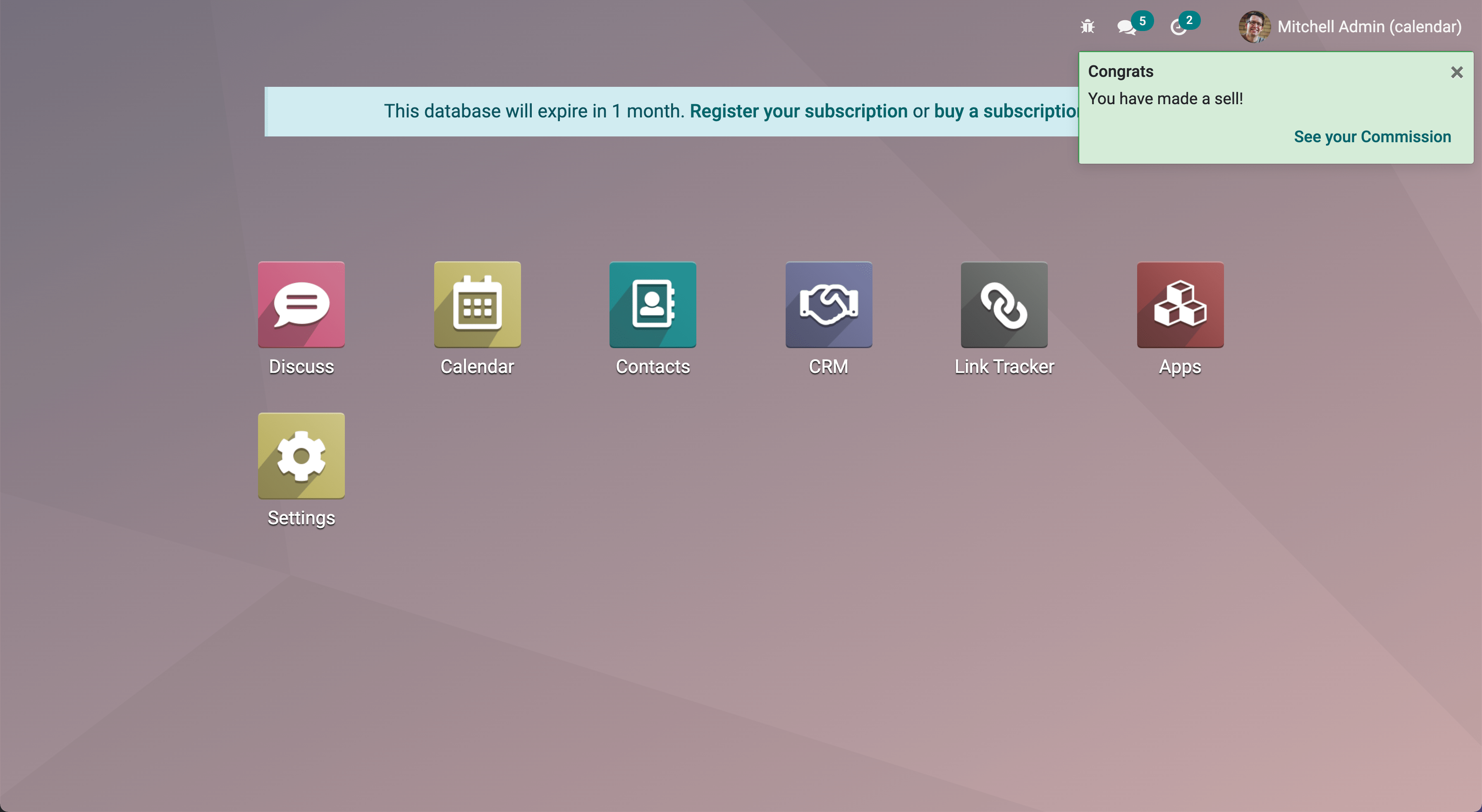
一秒钟后关闭的通知:
const notificationService = useService("notification");
const close = notificationService.add("I will be quickly closed");
setTimeout(close, 1000);
路由器服务
概述
技术名称:
router依赖关系:无
router 服务提供三个功能:
有关当前路线的信息
应用程序根据其状态更新 url 的方法
侦听每个哈希更改,并通知应用程序的其余部分
应用程序编程接口
- current
可以使用“
current”键访问当前路线。它是一个具有以下信息的对象:pathname (string):当前位置的路径(最有可能是/web)search (object):将每个搜索关键字(查询字符串)从 url 映射到其值的字典。如果没有明确给出值,则值为空字符串hash (object):与上面相同,但针对哈希中描述的值。
例如:
// url = /web?debug=assets#action=123&owl&menu_id=174
const { pathname, search, hash } = env.services.router.current;
console.log(pathname); //   /web
console.log(search); //   { debug="assets" }
console.log(hash); //   { action:123, owl: "", menu_id: 174 }
更新 URL 是通过 pushState 方法完成的:
- pushState(hash: object[, replace?: boolean])
- 参数
hash (
Object()) – 包含从某些键到某些值的映射的对象replace (
boolean()) – 如果为 true,则 url 将被替换,否则仅更新hash中的键/值对。
使用
hash对象中的每个键/值对更新 URL。如果值设置为空字符串,则该键将添加到 url 中,而没有任何对应值。如果为 true,则
replace参数告诉路由器应该完全替换 url 哈希(因此hash对象中不存在的值将被删除)。此方法调用不会重新加载页面。它也不会触发
hashchange事件,也不会触发 main bus 中的ROUTE_CHANGE。这是因为此方法仅用于更新 url。调用此方法的代码有责任确保屏幕也更新。
例如:
// url = /web#action_id=123
routerService.pushState({ menu_id: 321 });
// url is now /web#action_id=123&menu_id=321
routerService.pushState({ yipyip: "" }, replace: true);
// url is now /web#yipyip
最后,`redirect`方法将浏览器重定向到指定的url:
- redirect(url[, wait])
- 参数
url (
string()) – 有效的网址wait (
boolean()) – 如果为 true,则等待服务器准备就绪,然后重定向
将浏览器重定向到
url。此方法重新加载页面。wait参数很少使用:在某些情况下,当我们知道服务器将在短时间内不可用(通常是在插件更新或安装操作之后)时,它很有用。
注解
每当当前路由发生更改时,路由器服务都会在 main bus 上发出 ROUTE_CHANGE 事件。
RPC服务
概述
技术名称:
rpc依赖关系:无
rpc 服务提供单个异步函数来向服务器发送请求。调用控制器非常简单:路由应该是第一个参数,并且可以选择将 params 对象作为第二个参数。
import { rpc } from "@web/core/network/rpc";

 // somewhere else, in an async function:
 const result = await rpc("/my/route", { some: "value" });
注解
请注意,改为“rpc` service is considered a low-level service. It should only be used to interact with Odoo controllers. To work with models (which is by far the most important usecase), one should use the ``orm`”服务。
应用程序编程接口
- rpc(route, params, settings)
- 参数
route (
string()) – 请求的目标路由params (
Object()) – (可选)发送到服务器的参数settings (
Object()) – (可选)请求设置(见下文)
settings对象可以包含:xhr, which should be aXMLHTTPRequestobject. In that case, therpcmethod will simply use it instead of creating a new one. This is useful when one accesses advanced features of theXMLHTTPRequestAPI。silent (boolean)If set totrue,Web 客户端不会提供有待处理的 RPC 的反馈。
rpc service communicates with the server by using a XMLHTTPRequest object, configured to work with the application/json content type. So clearly the content of the request should be JSON serializable. Each request done by this service uses the POST http 方法。
服务器错误实际上会返回带有 http 代码 200 的响应。但是 rpc 服务会将它们视为错误。
错误处理
rpc 可能因两个主要原因而失败:
odoo 服务器返回错误(因此,我们称其为
servererror). In that case the http request will return with an http code 200 BUT with a response object containing anerror键。或者存在其他类型的网络错误
当 rpc 失败时,则:
代表 rpc 的 Promise 被拒绝,因此调用代码将崩溃,除非它处理这种情况
在主应用程序总线上触发事件“
RPC_ERROR”。事件负载包含错误原因的描述:如果是服务器错误(服务器代码抛出异常)。在这种情况下,事件负载将是具有以下键的对象:
type = 'server'message(string)code(number)name(string)(可选,错误服务使用它来查找处理错误时要使用的适当对话框)subType(string)(可选,通常用于确定对话框标题)data(object)(optional object that can contain various keys among whichdebug:主要调试信息,带有调用堆栈)
如果是网络错误,则错误描述只是一个对象“
{type: 'network'}”。当发生网络错误时,会显示 notification 并定期联系服务器直至其响应。一旦服务器响应,通知就会关闭。
滚动服务
概述
技术名称:
scroller依赖关系:无
每当用户单击 Web 客户端中的锚点时,此服务就会自动滚动到目标(如果适用)。
该服务添加一个事件侦听器以获取文档上的 click。该服务检查其 href 属性中包含的选择器是否有效以区分锚点和 Odoo 操作(例如 <a href="#target_element"></a>)。如果情况并非如此,它什么也不做。
如果单击似乎针对某个元素,则会在主应用程序总线上触发事件 SCROLLER:ANCHOR_LINK_CLICKED。该事件包含一个自定义事件,其中包含 element 匹配及其 id 作为参考。它可以允许其他部分处理与锚点本身相关的行为。还给出了原始事件,因为它可能需要被阻止。如果不阻止该事件,则用户界面将滚动到目标元素。
应用程序编程接口
以下值包含在上面解释的 anchor-link-clicked 自定义事件中。
姓名 |
类型 |
描述 |
|---|---|---|
|
|
href 定位的锚元素 |
|
|
href 中包含的 id |
|
|
原始点击事件 |
注解
滚动器服务在 main bus 上发出 SCROLLER:ANCHOR_LINK_CLICKED 事件。为了避免滚动器服务的默认滚动行为,您必须在提供给侦听器的事件上使用 preventDefault() ,以便您可以从侦听器正确实现您自己的行为。
产权服务
概述
技术名称:
title依赖关系:无
title 服务提供了一个简单的 API,允许读取/修改文档标题。例如,如果当前文档标题是“Odoo”,我们可以使用以下命令将其更改为“Odoo 15 - Apple”:
// in some component setup method
const titleService = useService("title");

titleService.setParts({ odoo: "Odoo 15", fruit: "Apple" });
应用程序编程接口
title 服务操作以下接口:
interface Parts {
    [key: string]: string | null;
}
每个键代表标题的一部分的标识,每个值是显示的字符串,如果已删除,则为 null 。
它的API是:
- current
这是表示当前标题的字符串。它的结构如下:
value_1 - ... - value_nwhere eachvalue_iis a (non null) value found in thePartsobject (returned by the `getParts`函数)
- getParts()
- 返回
分割由标题服务维护的当前
Parts对象
- setParts(parts)
- 参数
parts (
Parts()) – 表示所需更改的对象
setPartsmethod allows to add/replace/delete several parts of the title. Delete a part (a value) is done by setting the associated key value tonull。请注意,只能修改单个部分,而不会影响其他部分。例如,如果标题由以下部分组成:
{ odoo: "Odoo", action: "Import" }
与
currentvalue beingOdoo - Import,然后setParts({ action: null, });
会将标题更改为“
Odoo”。
用户服务
概述
技术名称:
user依赖项:
rpc
user 服务提供了一堆数据和一些有关连接用户的帮助函数。
应用程序编程接口
姓名 |
类型 |
描述 |
|---|---|---|
|
|
|
|
|
有关数据库的信息 |
|
|
用作用户主页的操作 ID |
|
|
用户是否是管理员(组 |
|
|
用户是否属于系统组 ( |
|
|
使用的语言 |
|
|
用户名 |
|
|
用户的伙伴实例Id |
|
|
用户的时区 |
|
|
用户id |
|
|
用户的备用昵称 |
- updateContext(update)
- 参数
update (
object()) – 用于更新上下文的对象
使用给定对象更新 user context。
userService.updateContext({ isFriend: true })
- removeFromContext(key)
- 参数
key (
string()) – 目标属性的键
从 user context 中删除具有给定键的值
userService.removeFromContext("isFriend")
- hasGroup(group)
- 参数
group (
string()) – 要查找的组的 xml_id
- 返回
Promise<boolean>是组中的用户
检查用户是否属于某个组
const isInSalesGroup = await userService.hasGroup("sale.group_sales")